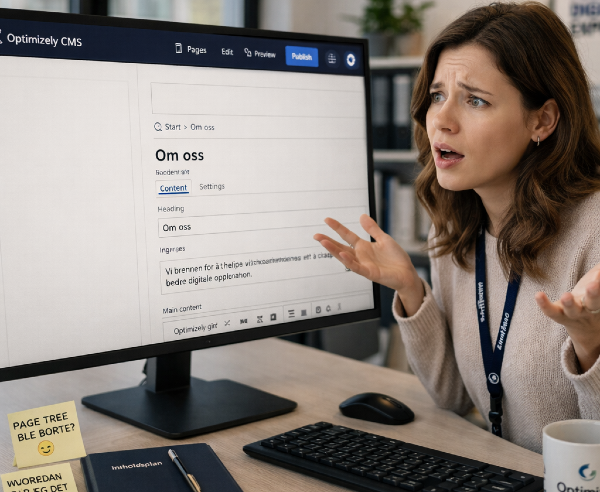
So you've lost the page tree in Optimizely CMS. The sidebar is empty, the tree is gone. You're staring at a mostly empty editor wondering what you did wrong. Don't panic — you didn't break anything. You just stumbled into one of the more surprising UX quirks in the CMS.
How it happens
The Optimizely CMS editor interface is built around gadgets. Versions, Languages, Tasks — all of these panels can be added, moved, and removed by each editor individually. That's a useful feature. Editors can tailor the workspace to how they work.
The page tree, however, is also technically a gadget. And like any cms gadget, it can be removed. There is no warning - no "are you sure?" dialog. Just a small click, and your primary navigation is gone.
It's the kind of thing that happens in about two seconds and takes considerably longer to undo — especially if you don't know where to look.
Why it's confusing
Every other gadget you remove can be added back easily. There's a dedicated button in the interface for managing your panels, and you can restore whatever you've removed in a few clicks.
The page tree doesn't work that way. It doesn't show up in the normal "add gadget" flow once it's been removed. There's no obvious way back from within the editing area itself.
The fix
To restore the page tree, you need to reset your editor layout. Here's how:
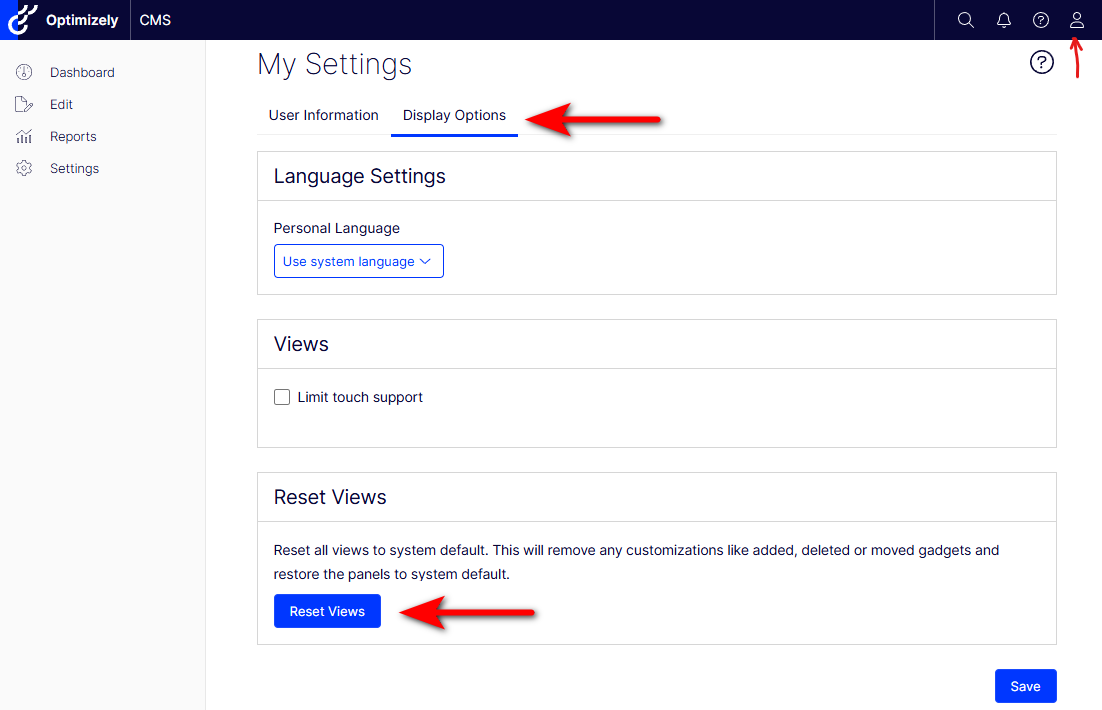
- Click your profile name or avatar in the top right corner of the CMS.
- Go to My Settings.
- Find the option to Reset Views (sometimes labeled as "Reset to default layout" depending on your version).
- Confirm the reset.
Your layout will be restored to the default, including the page tree. Note that this also resets any other layout customizations you've made, so any gadgets you've added or repositioned will go back to their defaults as well.
Why this should be better
In a non-headless editor, the page tree is not optional in the same way that the "Versions" panel is optional. Removing it doesn't just change your workspace — it removes your ability to navigate the site structure entirely. For most editors, it's the most critical part of the interface.
Burying the recovery path inside "My Settings" under a "Reset Views" option that also wipes out everything else isn't a great experience. Ideally, the page tree would either be protected from accidental removal, or — at minimum — show up as a restorable gadget through the same mechanism as everything else.
It has been like this since forever (and still is in CMS 13 today), hopefully something will be done to this in a future cms update.
Until then: My Settings → Reset Views. Write it on a sticky note.